Disney+
| Technical Specification |
Download |
| Latest Updated |
Apr 16, 2024 |
|
| Latest Version |
3.1.3-rc1 |
| Developer |
Disney |
| Operating system |
Android, iOS |
| Language |
English |
| Price |
Free |
| Available version |
3.1.3-rc1 |
| Version history |
2.18.1-rc1 2.17.2-rc2 2.16.2-rc2 2.16.0-rc3 2.15.3-rc5 |
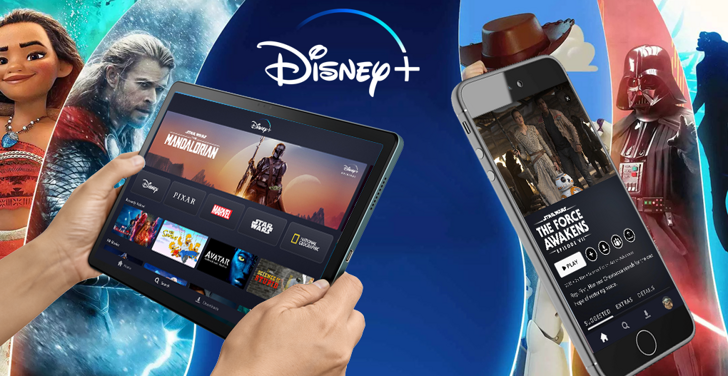
Home to the very best of Disney, Pixar, Marvel, and Fox, you can now enjoy the magic of Disney anytime, anywhere with the Disney+ app. With new releases, Original series, classic movies, and great TV shows, The app includes unlimited entertainment for the entire family. The home to Star Wars, Loki, and other popular movies and shows, The app promises heaps of family fun.
More Details
- Ad-Free Viewing: Disney+ offers uninterrupted access to supported movies and shows without traditional ad breaks.
- Offline Watching: Selected content can be downloaded to compatible devices for viewing when an internet connection is unavailable.
- Multi-Device Access: The service supports simultaneous viewing on multiple devices, making it suitable for households.
How to install the application
How to Download the Disney+ App Download the Disney+ app by opening the Google Play Store From there, click on the search bar at the top of the screen Type in the name of the application and click on the app icon in the search menu Tap "Download" and wait for the app to install onto your mobile device
DISCLAIMER
- This application is a mobile tool that does not modify any system settings on your device.
- All APK files available for download from our platform are completely safe.
- We offer the official download link directly from the Google Play Store.
- All trademarks and logos featured on our website belong to their respective owners. We have no affiliation or partnership with them.
- Our website and its content fully adhere to Google's advertising policies and the Google Unwanted Software policy.
Steps to Uninstall android App
How to Uninstall the Disney+ App If you no longer require the Disney+ app, then you can delete it by first going to your phone settings Locate the Application Manager (App Manager) Find the app and then click “uninstall” to remove it from your device
Steps to Uninstall App on Apple devices
Delete Disney+ from your iOS device by following these steps:
- Open your Home Screen or App Library and locate the Disney+ icon.
- Press and hold the icon until a set of options is displayed.
- Select Remove App from the list.
- Confirm deletion by tapping Delete App.
- Exit the screen by tapping Done or pressing the Home button.
Tips & Tricks
More about the Disney+ app
- Exclusive – watch the latest and greatest Disney shows and movies before anyone else with a Disney+ membership.
- To subscribe, simply head over to www.disneyplus.com and choose the most suitable package.
- Get Exclusive content and early access!.
- Downloads – enjoy unlimited downloads on up to 10 devices so that you can watch anytime, anywhere.



















 Home
Home  Tools
Tools  Finance
  Social
  Games
Games  Communication
  Shopping
  More
More 


