Google Play Services
| Technical Specification |
Download |
| Latest Updated |
Nov 20, 2024 |
|
| Latest Version |
24.45.33_(150400-695869807) |
| Developer |
Google LLC |
| Operating system |
Android |
| Language |
English |
| Price |
Free |
| Available version |
24.45.33_(150400-695869807) |
| Version history |
24.42.32_(150400-688217902) 24.16.16_(150400-629452829) 24.13.18_(150400-623909296) 23.13.12_(150400-519946965) 23.11.15_(150400-520109968) |
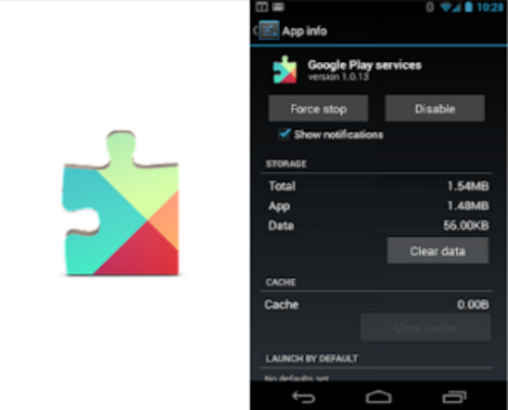
Google Play services is a core Android component that helps apps work smoothly, securely, and consistently. It connects apps with essential Google features, including account sign-in, location services, contact syncing, security tools, and app updates. Running mainly in the background, it improves compatibility, performance, and reliability across your device. Keeping it updated helps supported apps access the latest features and fixes while maintaining a stable Android experience day after day.
More Details
Below are some of the notable features of the app:
- Provides authentication, synchronized contacts, privacy settings, and location-based services.
- Helps update Google apps and other applications downloaded from Google Play.
- Improves app reliability and supports smoother communication between apps and Google services.
- Enhances features such as offline search, maps, and supported gaming experiences.
How to install the application
How to download and install Google Play Services on your mobile device?
Follow these simple steps to get the Google Play Services from Google Play:
- Open Google Play on your Android device.
- Enter Google Play Services in the search bar.
- Choose the most relevant result from the list.
- Tap 'Install' to start the download.
- Wait until the installation is complete, and you're ready to go!
DISCLAIMER
- This application is a mobile tool that does not modify any system settings on your device.
- All APK files available for download from our platform are completely safe.
- We offer the official download link directly from the Google Play Store.
- All trademarks and logos featured on our website belong to their respective owners. We have no affiliation or partnership with them.
- Our website and its content fully adhere to Google's advertising policies and the Google Unwanted Software policy.
Steps to Uninstall android App
How to remove Google Play Services from your mobile device?
You can uninstall the Google Play Services app by following these steps:
- Open the Settings menu on your phone.
- Navigate to "Apps" or "Application Manager."
- Find and select Google Play Services from the list.
- Tap "Uninstall" to remove the app from your device.
Steps to Uninstall App on Apple devices
Delete Google Play Services from your iOS device by following these steps:
- Open your Home Screen or App Library and locate the Google Play Services icon.
- Press and hold the icon until a set of options is displayed.
- Select Remove App from the list.
- Confirm deletion by tapping Delete App.
- Exit the screen by tapping Done or pressing the Home button.
Tips & Tricks
More about the Google Play Services app
- Keep Google Play services updated to ensure compatibility with supported apps.
- Avoid disabling or uninstalling it, as some Android apps may stop working correctly.
- Restart your device after an update if apps continue to display connection or compatibility errors.
- Clear its cache only when troubleshooting persistent issues, rather than removing its stored data immediately.











 Home
Home  Tools
Tools  Finance
  Social
  Games
Games  Communication
  Shopping
  More
More 





